 My account
 Download Free

SQL Server connection
Verify the SQL Server connection and select databases.
Schedule SQL Server backups, send them to your destinations and restore the right backup when needed.
Local disk and UNC share · BAK / ZIP
Send the same backup to multiple destinations. Manage connections and retention per destination.
Cloud storage accounts and provider charges are separate from the licence.
Verify the SQL Server connection and select databases.
Choose BAK or ZIP, schedule, destinations and retention.
Select a backup from the catalogue; restore with chain and time validation.
Create native SQL Server full backups. Manage COPY_ONLY, checksum, verification and ZIP options in your plan.
Set daily, weekly or interval schedules. Pending delayed retries survive service restarts.
Set age and count limits for staging and destinations. Manage delayed job retries separately from destination copy attempts.
Catalogue, restore queue, full/differential/log chain discovery, STOPAT and striped-media validation. Chain support applies to restoration.
Filter logs by level, date and text. Receive success and failure notifications through your SMTP server or webhook.
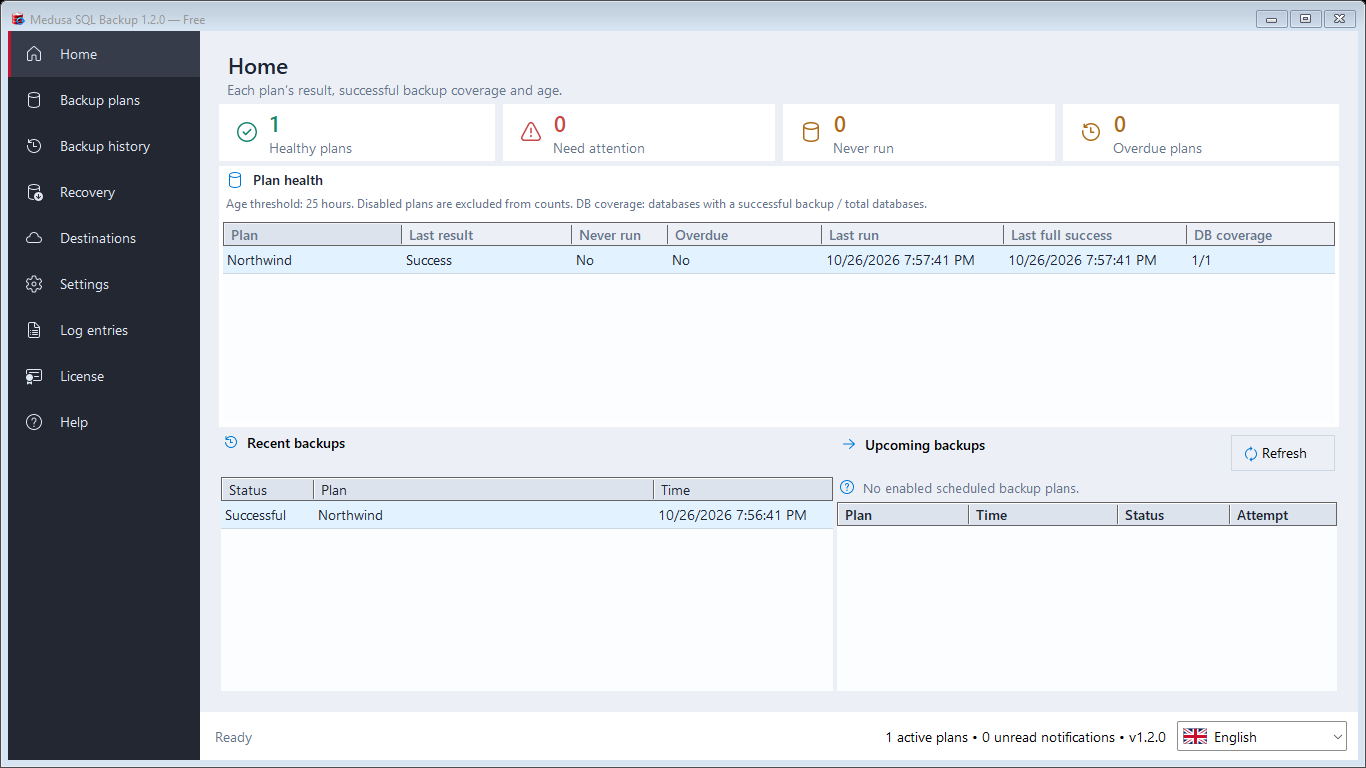
Distinguish last results, never-run and overdue plans. Recent backups and upcoming jobs appear on one screen.
1 SQL Server · 1 database Local disk and UNC / NAS
Local disk and UNC share
Download Free4 SQL Servers · 10 databases per server
Local, UNC, SFTP/FTPS and supported cloud destinations
My accountUnlimited SQL Servers and databases
Local, UNC, SFTP/FTPS and supported cloud destinations
My accountBack up one database on one SQL Server to local disk or a UNC network folder.
Cloud storage accounts and provider charges are separate from the licence.
No. Renewal is a separate action you start from your account. Signing up does not create a charge.


